
Pokémon Scarlatto e Violetto: annunciato l’arrivo della versione 1.2.0 su Nintendo Switch
 0
0
 0
0
Nintendo ha recentemente annunciato l’arrivo della versione 1.2.0 per Pokémon Scarlatto e Violetto, disponibile da fine febbraio su Nintendo Switch.
Approfittiamo per ricordarvi che siamo su Youtube con una Blind Run dedicata a Pokémon Violetto, che si protrarrà mano a mano nei giorni, anche in live sul nostro canale Twitch, quindi seguiteci ovunque.
I due nuovi capitoli che andranno ad aprire la nona generazione Pokèmon, sono disponibili dallo scorso 18 novembre 2022 sui Nintendo Switch europei ed americani.
Potete trovare il changelog dell’update di seguito.
Ver. 1.2.0 (Scheduled for end of February 2023)
Thank you for playing the Pokémon series.
Below are some details regarding the version 1.2.0 update planned for release in late February 2023 for the Pokémon Scarlet and Pokémon Violet games.
With this update, we are planning to add features to Pokémon Boxes and fix bugs that affect game progress, among other updates. We will continue to take your feedback very seriously and take measures to improve your gameplay experience.
Feature Adjustments
- Additional functionality will be added for Pokémon Boxes:
- From a Pokémon’s summary, players will be able to change Pokémon’s nicknames, markings, held items, and mark- or Ribbon-related titles, as well as being able to reorder moves, have Pokémon remember moves, have Pokémon forget moves, and use TMs.
- Players will be able to swap out held items by pressing the Y Button when in the Held Items view.
- Players will be able to select All Boxes while moving Pokémon or items in the Party and Boxes view and Held Items view.
- When in the Battle Team view, Pokémon in your Boxes that are assigned to a Battle Team will now have their icons displayed in a darker hue if those Pokémon are members of the Battle Team that is currently being displayed.
- The News screen will be displayed when you connect to the internet from the main menu, just as it is when connecting to the internet from the Poké Portal.
Bug Fixes
Tera Raid Battles
- A bug that can prevent an opposing Tera Pokémon’s HP gauge from properly reflecting damage done by certain moves (such as Play Rough) or certain status conditions may occur in Tera Raid Battles, resulting in the Tera Pokémon’s HP gauge fluctuating in an unusual manner. This will be fixed.
- A bug that causes all Pokémon on your side to faint at once despite their HP gauges indicating that they still have HP may occur in black crystal Tera Raid Battles against Pokémon with the Mightiest Mark. This will be fixed.
- A bug that can temporarily prevent a player from entering any input into the game may occur if a Tera Pokémon takes certain actions while the player is choosing the target of their move. This will be fixed.
- A bug that causes a communication error may occur when someone connecting to a Tera Raid Battle sees a different Pokémon displayed on their screen than what the host sees. This will be fixed.
- A bug may occur that causes players joining a Tera Raid Battle from the Tera Raid Battles search screen to be brought to a Tera Raid Battle against a Pokémon different from the one they saw displayed. This will be fixed.
- A bug that causes Tera Raid Battle crystals to not appear for a set amount of time may occur under certain circumstances. This will be fixed.
Battles
- Type matchups against Pokémon that have fainted will no longer appear when selecting a move or target during Double Battles.
- A Zoroark that has Terastallized and is disguised as another Pokémon via its Illusion Ability can be identified as a Zoroark by using the Check Target option. This is a bug and will be fixed.
- When a Zoroark has Terastallized and is disguised as another Pokémon via its Illusion Ability, the type matchups of moves are displayed based on the type of the Pokémon that Zoroark is disguised as, rather than Zoroark’s Tera Type. This is a bug and will be fixed.
- The stats of a Dondozo with a Tatsugiri in its mouth will increase when Dondozo uses Order Up, even when the move should have been negated (for example, by an opponent using Protect). This is a bug and will be fixed.
- If a Pokémon Terastallizes after using Destiny Bond and then faints, the effects of Destiny Bond will fail to activate. This is a bug and will be fixed.
Other
- We will address an issue that can cause the game to forcibly close at certain locations. As a result of this fix, there may be a reduction of Pokémon and people displayed in certain towns or in the wild.
- When a Pokémon that is not a part of the Paldea Pokédex is obtained through a Link Trade, it is displayed as being registered to the Paldea Pokédex. This is a bug and will be fixed.
- Certain actions can cause the main character’s expressions to not change until the game is closed and reopened. This will be fixed.
- A bug occurred for some players after Ranked Battles Season 1, wherein visiting the Ranked Battles screen immediately after the season’s results had been calculated caused a communication error right after these players received their rewards. Following this error, players were unable to participate in any further Ranked Battles. This will be fixed.
- If a player has created several Battle Teams but does not use the Battle Team in the first slot for their Ranked Battles, they may not receive the Master Rank Ribbon after winning Ranked Battles in the Master Ball Tier. This will be fixed.
- When a Pokémon you caught comes back to you from another player through Link Trade, it may not listen to your commands in accordance with what is written in the profile app (“Pokémon caught at Lv. XX or below will listen to your commands”). This will be fixed.
- A bug is preventing the Pokédex from displaying additional entries (such as entries for Shiny Pokémon or Pokémon that were received through Surprise Trade from players that play in a different language) for Pokémon species that were already registered in the Pokédex. This will be fixed.
- Objects such as Poké Balls may be displayed in certain locations of the field unintentionally. This will be fixed.
- Passersby will no longer be displayed during certain battles that take place in towns during the main story.
- Other select bug fixes will be implemented.
Notes:
- We are planning further features and bug fixes not listed in these patch notes. Please check back here for full details when the update data is distributed.
- Update contents and details are subject to change.
12 consigli senza spoiler per Pokémon Scarlatto e Pokémon Violetto!
In Pokémon Scarlatto e Pokémon Violetto, ora disponibili su Nintendo Switch, ti attende una sconfinata avventura open world. Probabilmente non vedrai l’ora di tuffarti nel gioco, ma prima di farlo dai un’occhiata ai nostri consigli, rigorosamente privi di spoiler, per scoprire come partire con il piede giusto a Paldea!
1: Non sai dove andare? Chiedi indicazioni a un Centro Pokémon!
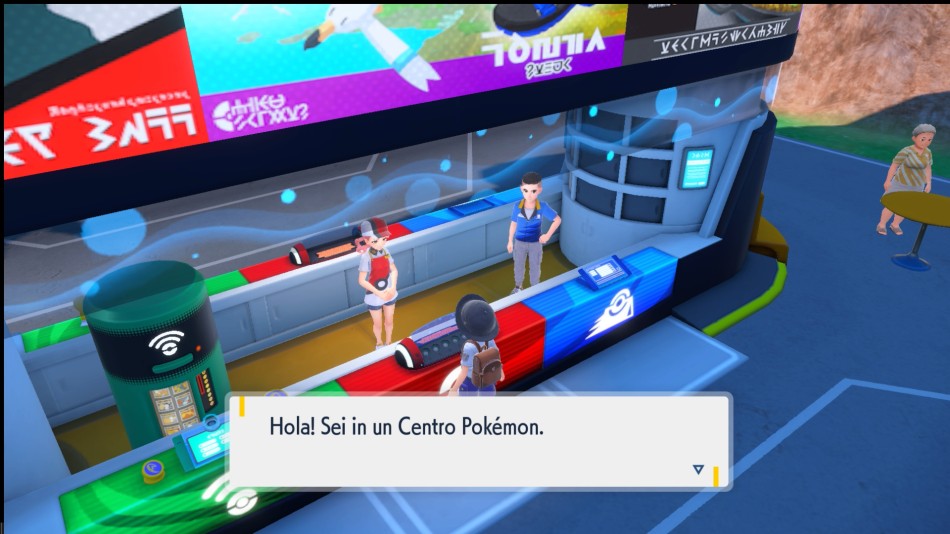
Se non ti è chiaro dove dovresti andare, visita il Centro Pokémon più vicino per chiedere un consiglio. Il personale sarà felicissimo di proporti una meta e di segnarla sulla tua mappa. Fa tutto parte del servizio!
Puoi anche tornare istantaneamente ai Centri Pokémon che hai già visitato premendo il pulsante Y per aprire la mappa e selezionando “Vola qui” sull’icona del Centro Pokémon desiderato.
2: Diventa un Allenatore o un’Allenatrice migliore nel corso della tua caccia al tesoro

Non sai da quale delle tre storie principali del gioco iniziare? Puoi completarle nell’ordine e al ritmo che preferisci, ma ognuna ha i suoi incentivi…
- Aiutando Pepe nelle sue ricerche nel sentiero leggendario sbloccherai nuovi metodi più veloci per spostarti a Paldea.
- Sconfiggere i Capipalestra nel cammino dei Campioni ti permetterà di catturare e allenare Pokémon di livello più alto.
- Affrontare il Team Star nel viale della polvere di stelle aumenterà il numero di mosse (o Macchine Tecniche) che puoi creare.
3: Due modi per giocare con gli amici vicini e lontani

Non vedi l’ora di esplorare Paldea con i tuoi amici? Ecco due modi per collegarti con loro in locale e online:
- Seleziona “Poképortale” dal menu principale per accedere alle funzioni multiplayer in locale e online del gioco, che includono la Cerchia contatto, ovvero l’esperienza cooperativa del gioco, e altre modalità come Scambio in link, Stadio Lotta e altro ancora!
- Quando visiti un Centro Pokémon, puoi usare la Cerchia contatto per giocare insieme agli amici usando lo schermo giallo sul lato dell’edificio.
4: Varia le mosse dei tuoi Pokémon
Rimpiangi di aver chiesto a un tuo Pokémon di dimenticare una determinata mossa? Non preoccuparti, riapprendere le vecchie mosse è sempre possibile! Premi il pulsante X per aprire il menu principale, seleziona un Pokémon, scegli la voce “Info”, scorri fino a “Statistiche” e premi il pulsante A per cambiare le sue mosse.
5: Manda avanti i tuoi Pokémon!
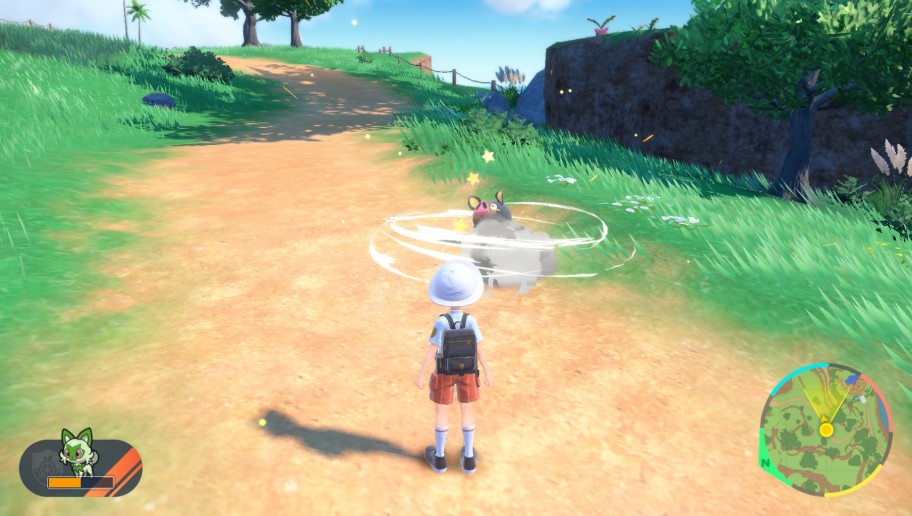
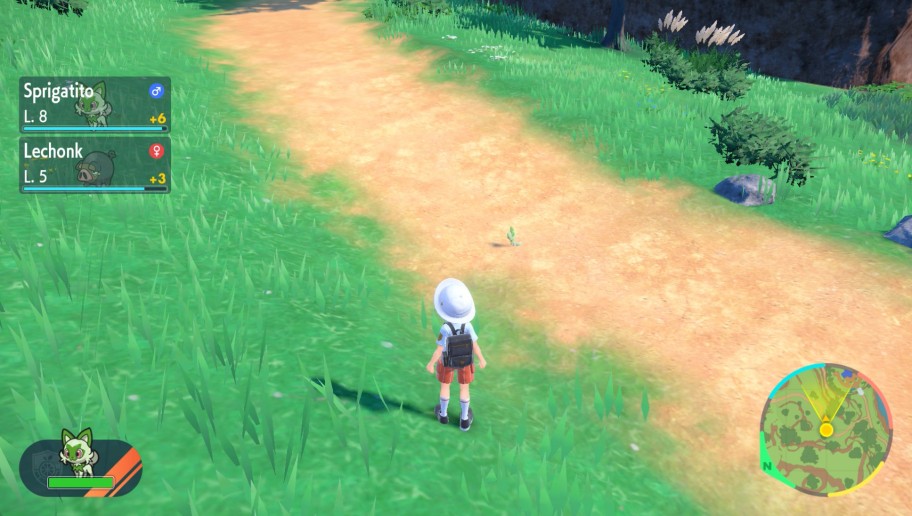
Mandare avanti i Pokémon è un modo pratico per far salire di livello la squadra. Premi il pulsante R mentre sei in esplorazione per mandare avanti il tuo Pokémon principale nella direzione in cui è rivolto il tuo personaggio. Affronterà autonomamente i Pokémon che incontra e raccoglierà persino gli strumenti che trova sul suo cammino!
6: Cura i tuoi Pokémon in qualsiasi momento
Hai urgentemente bisogno di curare i tuoi Pokémon ma non ci sono Centri Pokémon nei paraggi? Prova a usare la funzione di cura autonoma: apri il menu principale, seleziona il Pokémon che vuoi curare e poi premi il pulsante – per ripristinare automaticamente la sua salute usando uno degli strumenti che hai nella borsa.
Non hai nessuno strumento curativo? Quando vedi un oggetto luccicante a terra, prova a indagare: potresti trovare pozioni o Baccarance.
7: Fai scorpacciata di deliziosi Poteri cibo

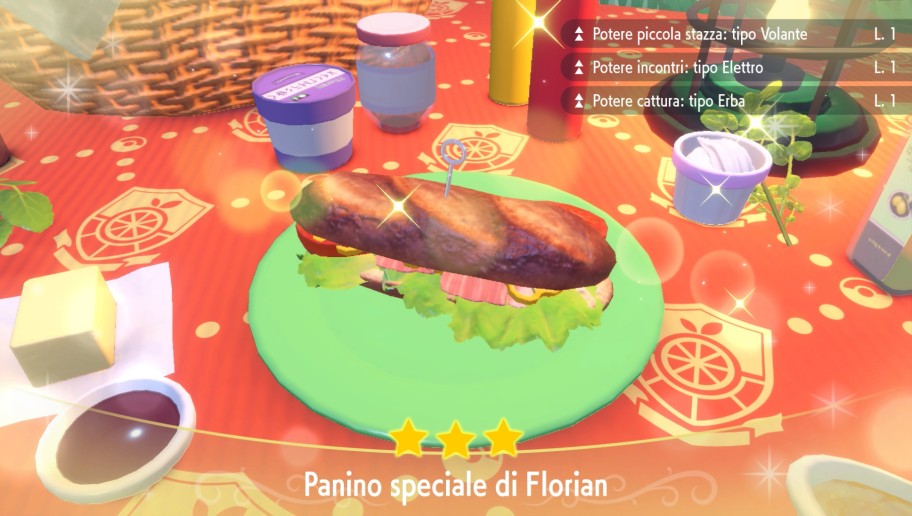
Assaporare le pietanze locali nei ristoranti o durante i picnic conferirà a te e alla tua squadra degli utili Poteri cibo, che possono aumentare i PE dei tuoi Pokémon o renderti la vita più facile quando provi a catturare determinati Pokémon selvatici. Gli effetti di questi cibi varieranno in base agli ingredienti utilizzati e al Pokémon che li consuma, quindi pianifica attentamente i tuoi pasti!
8: Non saltare la scuola!
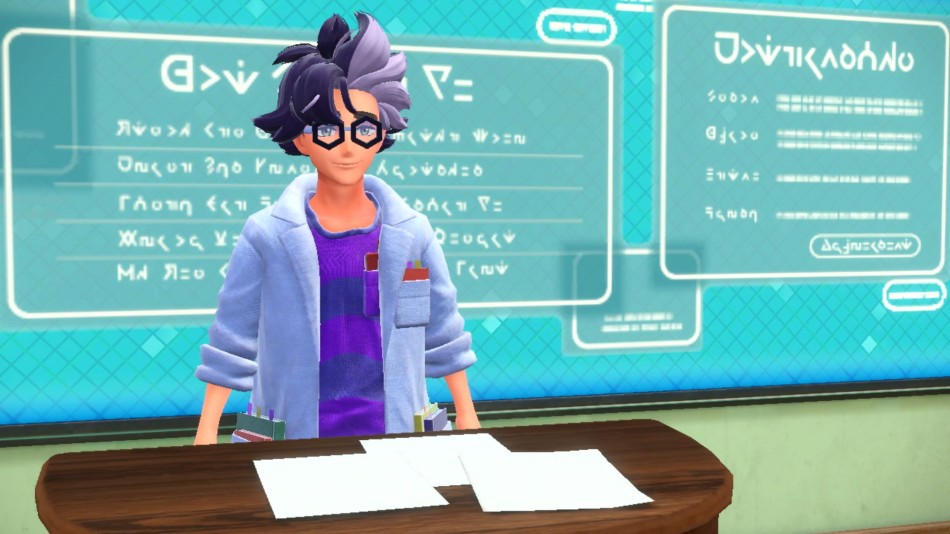
Anche se puoi esplorare Paldea al tuo ritmo, cerca di non tralasciare la scuola. Segui le lezioni all’Accademia per imparare di più sul mondo dei Pokémon e visita regolarmente i tuoi insegnanti. A proposito, ricordati di mantenere il professor Zim (mostrato qui sopra) al corrente dei tuoi progressi con il Pokédex!
9: Trova il Pokémon giusto per ogni occasione
Man mano che catturi sempre più Pokémon, i tuoi box inizieranno a riempirsi. Se ti serve un determinato tipo di Pokémon per completare la tua squadra o sconfiggere un Capopalestra, prova a usare la funzione di ricerca dei tuoi box. Apri il menu principale, seleziona “Box” e poi scegli “Cerca” per filtrare i tuoi Pokémon in base al tipo, le mosse conosciute, l’Abilità, e altro ancora.
10: Queste funzioni sono sempre a portata di mano!

Che si tratti di un rapido cambio di guardaroba o di fare un selfie con gli amici, tante comode funzioni possono essere attivate usando i pulsanti direzionali:
- Pulsante Su: apri un menu di emoticon da usare mentre giochi con gli amici
- Pulsante Giù: apri l’App Fotocamera per scattare una foto
- Pulsante Sinistra: accedi al tuo guardaroba per cambiare al volo i tuoi abiti
- Pulsante Destra: controlla le notifiche mentre giochi con gli amici
11: Un metodo sicuro per catturarli tutti!
Non vedi l’ora di completare il tuo Pokédex catturando tutti i Pokémon della regione di Paldea? Premi il pulsante – mentre sei in esplorazione, seguito dal pulsante A, per aprire il Pokédex. Poi, seleziona un Pokémon o una casella libera per vedere la sagoma del Pokémon corrispondente, il suo habitat e forse anche qualche consiglio su come catturarlo! E già che ci sei…
12: Ottieni ricompense completando il tuo Pokédex
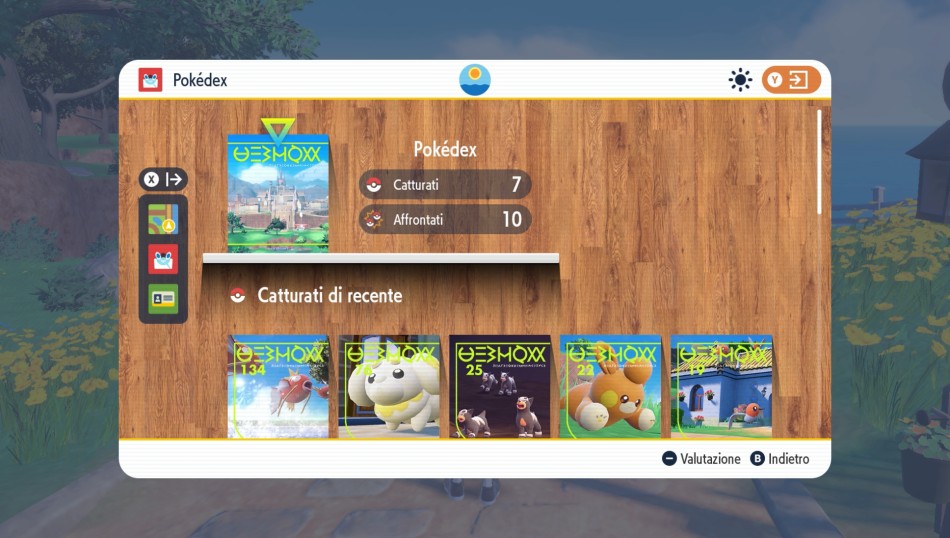
Completare il Pokédex è già appagante di per sé, ma se ti serve un ulteriore incentivo premi il pulsante X mentre consulti il Pokédex di Paldea (quello con l’immagine di una grande città) per aprire la pagina delle ricompense.
Per scoprire tanti altri consigli su Pokémon Scarlatto e Pokémon Violetto, assicurati di dare un’occhiata alla Guida avventura. Per visualizzarla, premi il pulsante X per aprire il menu principale, seleziona “Borsa” e scorri fino alla voce “Strumenti chiave”. Buona fortuna con le tue avventure!


Potrebbe anche piacerti

Super Mario Party Jamboree: svelato l’intero roster dei personaggi e i tabelloni

Mario vs. Donkey Kong: il titolo in arrivo il 16 febbraio 2024 su Nintendo Switch


Average Rating